WatchOut #6 · Confirmed
Fake Zoom meetings try to get you to install a plug-in or “update”
Email Website Other ImpersonationTechnology & workplace scams
Who may be targeted: Anyone who gets an unexpected Zoom meeting invite, especially if the page asks them to install something before joining.
What we are seeing
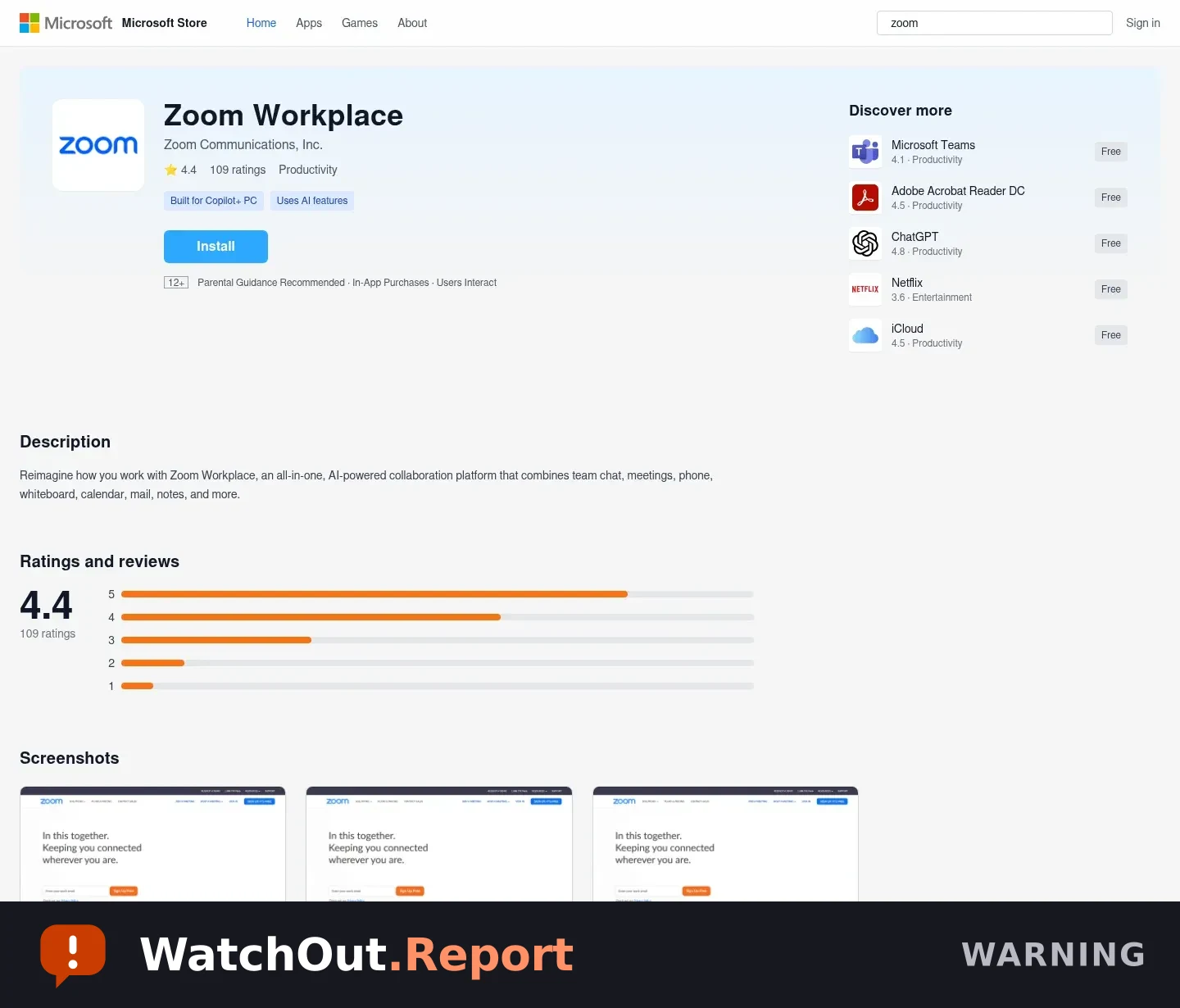
You click a Zoom meeting invite and land on a page that looks like the Microsoft Store. It says you need a plug-in or an update before you can join, then starts downloading a file. That is not how you should join a Zoom meeting. Close the page and do not open the download.
Warning signs
- The invite opens a page that is not on Zoom's official website.
- You are told to install a plug-in or update before the meeting can start.
- The page looks like the Microsoft Store, but the address does not belong to Microsoft.
- The file offered for download is an installer from an unrelated address.
Reported addresses
Written so they cannot be clicked. Do not retype them into your browser.
zoom-meet-us997234[.]s3[.]us-east-2[.]amazonaws[.]compivotalequipmentllc2[.]screenconnect[.]com
Source and limitations — what this alert does not establish
- The landing page was reviewed without executing the downloaded installer.
- The page content observed shows a fake Microsoft Store presentation and a download-started message; this record does not claim independent malware analysis of the MSI file.
- The hosting and download URLs may change or stop responding.
First observed Aug 22, 2026. Published Aug 22, 2026. Published by the Cybersecurity Reach Foundation.
Send this to someone it could protect.