WatchOut #10 · Investigating
Fake Zoom meeting pages can download malware
Website Email Messaging app Technology & workplace scamsImpersonation
Who may be targeted: Anyone who receives an unexpected Zoom meeting link, especially students, workers, families, and people joining online events.
What we are seeing
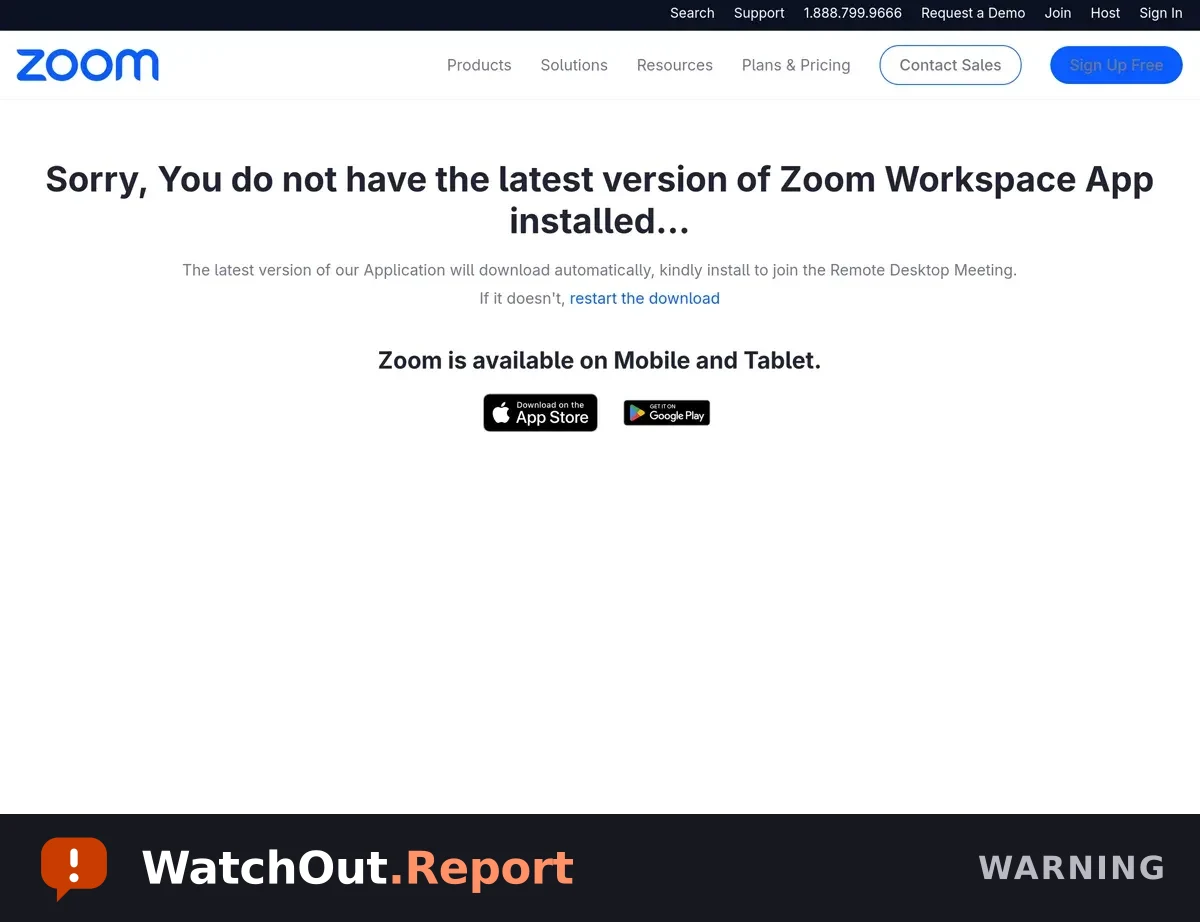
A page at quickmeetinglink[.]es copies Zoom branding and claims that the latest Zoom Workplace app is required to join a meeting. It directs visitors to download a file before continuing. The downloaded file was flagged as malware. Close the page, delete the file, and open Zoom through its official app or website instead.
Warning signs
- The page copies Zoom branding but is hosted on quickmeetinglink[.]es instead of an official Zoom address.
- It claims that a Zoom update is required before you can join a meeting.
- It tells the visitor that a download will start automatically.
- The downloaded file was flagged as malware.
Reported addresses
Written so they cannot be clicked. Do not retype them into your browser.
quickmeetinglink[.]esquickmeetinglink[.]es/esjoinzoom[.]us/Windows/invite[.]php
Source and limitations — what this alert does not establish
- The page operator and number of people targeted were not confirmed. The downloaded file was flagged as malware; do not execute or redistribute it.
First observed Sep 2, 2026. Published Sep 2, 2026. Published by the Cybersecurity Reach Foundation.
Send this to someone it could protect.